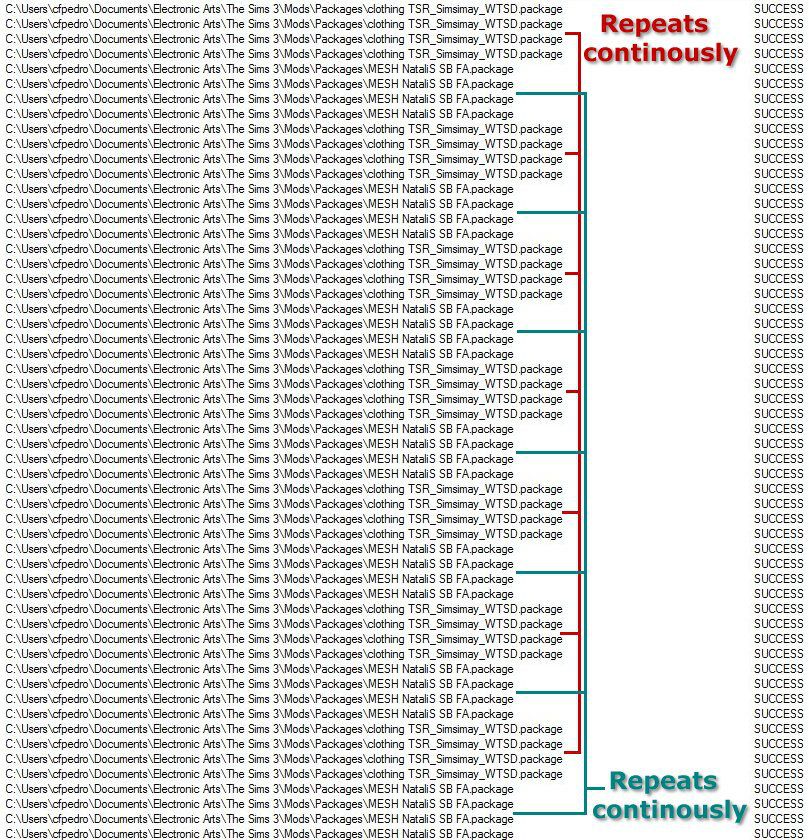
My loading up of the game was taking for ever and I found this program that can be ran simultaneously with the loading of my Sims3, it shows all the faulty files by repeatedly displaying them and while this is happening your processor is runnning 100% and your game loads at a snail pace, basically taking for ever to get your Sims3 game to start up. Remove all these files and your loading should be quick.
The picture below shows 2 packages that are faulty and are continuously beginning called up by the game. One is a new clothing item, the other is a new mesh. Only faulty packages show these patterns. This tool is extremely usefull.
Process monitor (MediaFire)
Enjoy
Carlos
Friday, 11 January 2013
Friday, 11 May 2012
2012 Shadow Navigator SUV
A new 2012 Shadow Navigator SUV found under Vehicles, it costs 69 000. It has 4 colour channels. You need Showtime or a later pack for the SUV to show up in the game.
2012 Shadow Navigator SUV (MediaFire)
Enjoy
Carlos
2012 Shadow Navigator SUV (MediaFire)
Enjoy
Carlos
Thursday, 10 May 2012
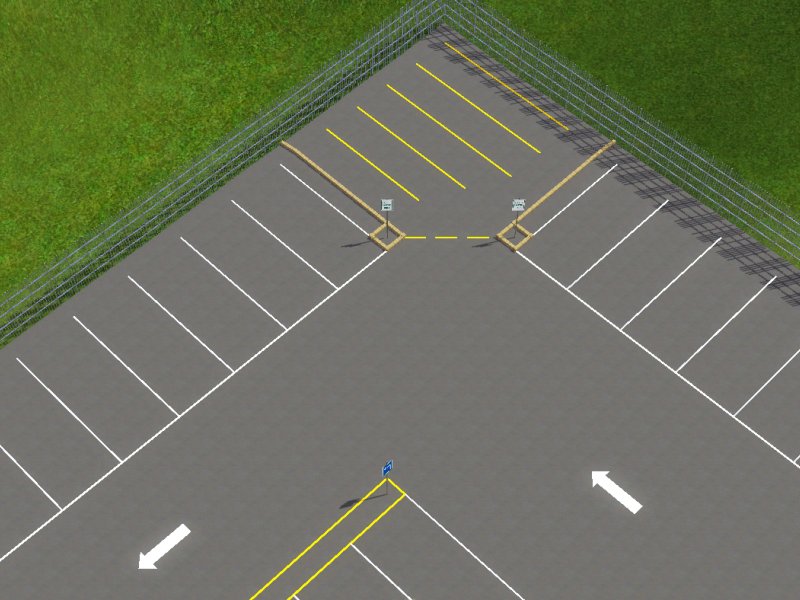
Stadium venue parking lot
A new stadium venue parking lot. It's a Sims3Pack file so it has to be installed via the installer.
It's a 64x64 lot. The fence is not included.
Stadium venue parking lot (MediaFire)
For the road markings, signs and parking spaces to show up you need to install the set of 7 packages.
NB. If you've downloaded all these prior then it won't be necessary to do it again.
You need Pets or a later pack for the items to show in your game. I've used the "Road marking yellow line" as yellow and as white for creating road lines.
Stadium venue parking lot signs, road markings and parking space set (MediaFire)
PS. I've filled the gap between the 2 lots with the
Gap between lots cement blocks set ,
the handicap sign is part of the set Signs 1 ver 2 was placed in CAW as also the CAW 4 guardrails placed over the cement blocks. I've also used 2 paramedic signs and an emergengy only parking signs in CAW over the cement blocks to created an emergengy space between the disabled parking bays.
Enjoy
Carlos

Stadium venue parking lot (MediaFire)
For the road markings, signs and parking spaces to show up you need to install the set of 7 packages.
NB. If you've downloaded all these prior then it won't be necessary to do it again.
You need Pets or a later pack for the items to show in your game. I've used the "Road marking yellow line" as yellow and as white for creating road lines.
Stadium venue parking lot signs, road markings and parking space set (MediaFire)
PS. I've filled the gap between the 2 lots with the
Gap between lots cement blocks set ,
the handicap sign is part of the set Signs 1 ver 2 was placed in CAW as also the CAW 4 guardrails placed over the cement blocks. I've also used 2 paramedic signs and an emergengy only parking signs in CAW over the cement blocks to created an emergengy space between the disabled parking bays.
Enjoy
Carlos
Tuesday, 8 May 2012
Stadium venue
A new stadium venue found under Build Mode / Community Objects, costs 0. It's a rabbit hole. You need Late Night or a later pack for the stadium to show in your game. I've used a 64x64 lot.
Stadium venue (MediaFire)
see also
Stadium venue parking lot
Enjoy
Carlos
Stadium venue (MediaFire)
see also
Stadium venue parking lot
Enjoy
Carlos
Monday, 7 May 2012
Snake Plant sansevieria trifasciata
A new Snake Plant sansevieria trifasciata found under Decor/Plants, costs 0. It has 3 colour channels.
Snake Plant sansevieria trifasciata (MediaFire)
Enjoy
Carlos
Snake Plant sansevieria trifasciata (MediaFire)
Enjoy
Carlos
Subscribe to:
Posts (Atom)